
Motive in OBS
Ten minutes, once. After that every game is one link pasted into the same Browser source. Works the same for Twitch, YouTube and Kick.
- 01
Unzip the kit and add the scenes
Unzip the kit somewhere you'll keep it. In OBS, under Scenes press + and name it Starting soon. Under Sources press +, choose Image and pick
starting-soon.png.Do the same for
be-right-back.png,case-closed.pngandjust-chatting.png. Just chatting has a see-through window: drag your camera into it.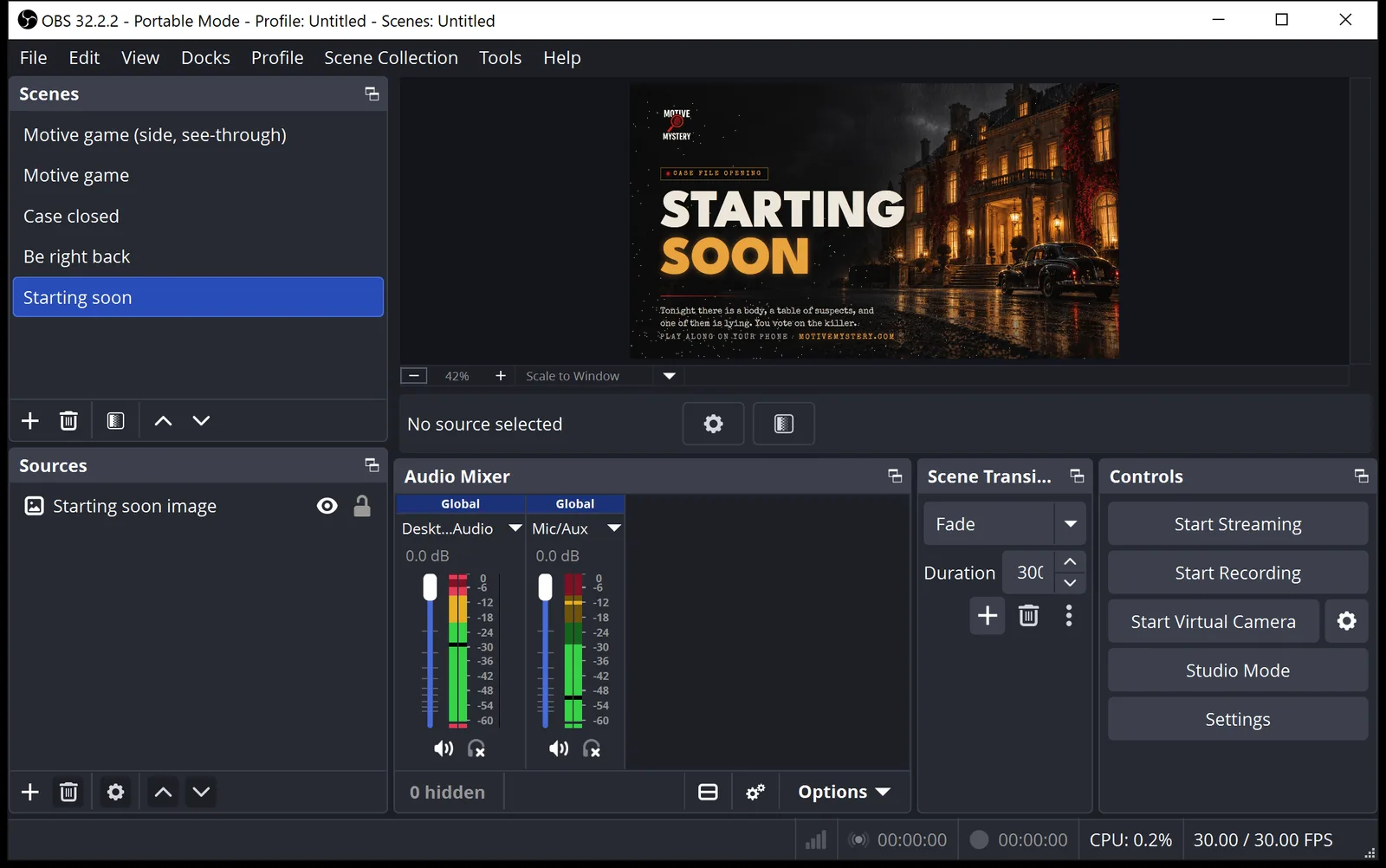
- 02
Host a game and copy your link
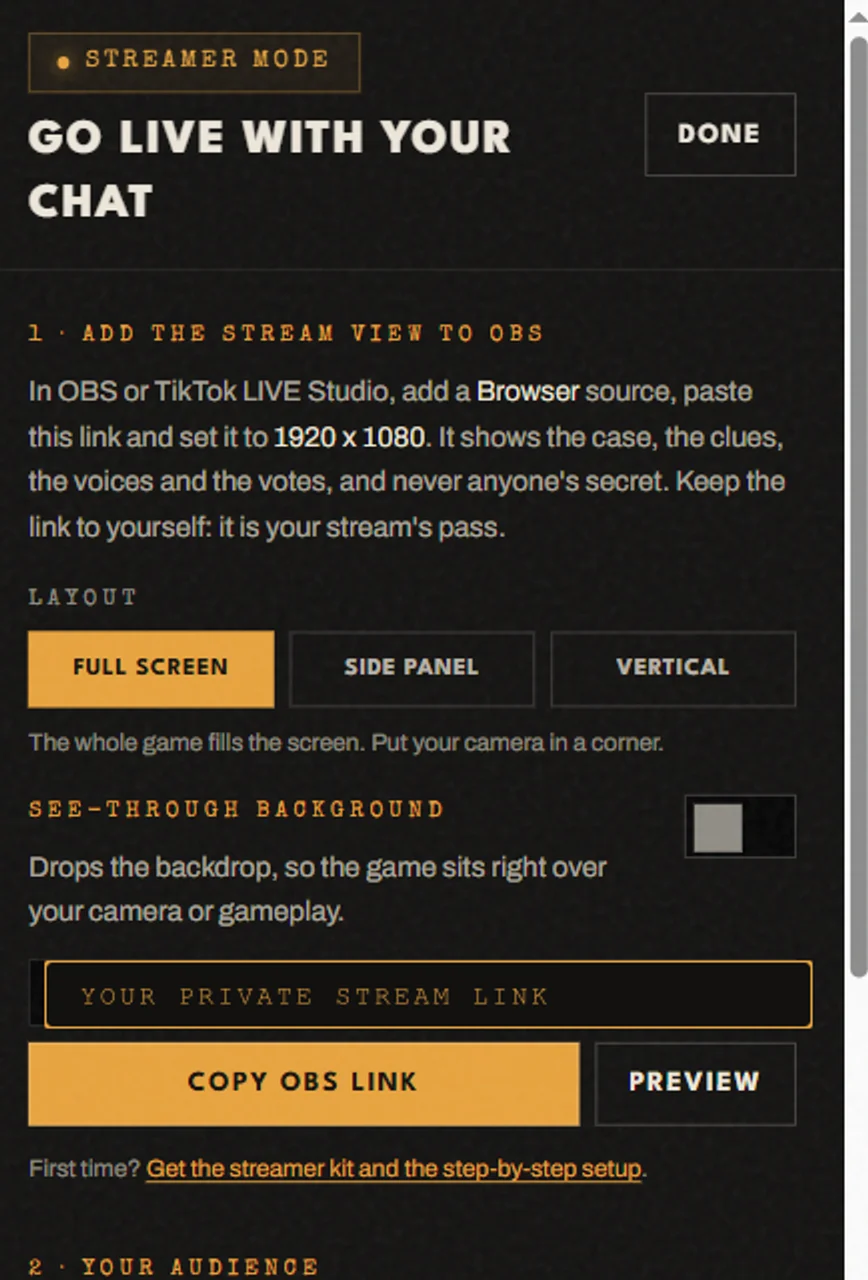
Start a game at motivemystery.com/party/create. On the host screen press Stream. Pick a layout: Full screen, Side panel (the game in a column, your camera keeps the rest) or Vertical. Turn on See-through background if your camera sits behind the game, then press Copy OBS link.
- 03
Add the game as a Browser source
Make a scene called Motive game. Under Sources press + and choose Browser. Paste your link into URL and set Width and Height to the size the Stream panel shows: 1920 x 1080, or 1080 x 1920 for vertical.
Tick Control audio via OBS, so the suspects' voices play on your stream.
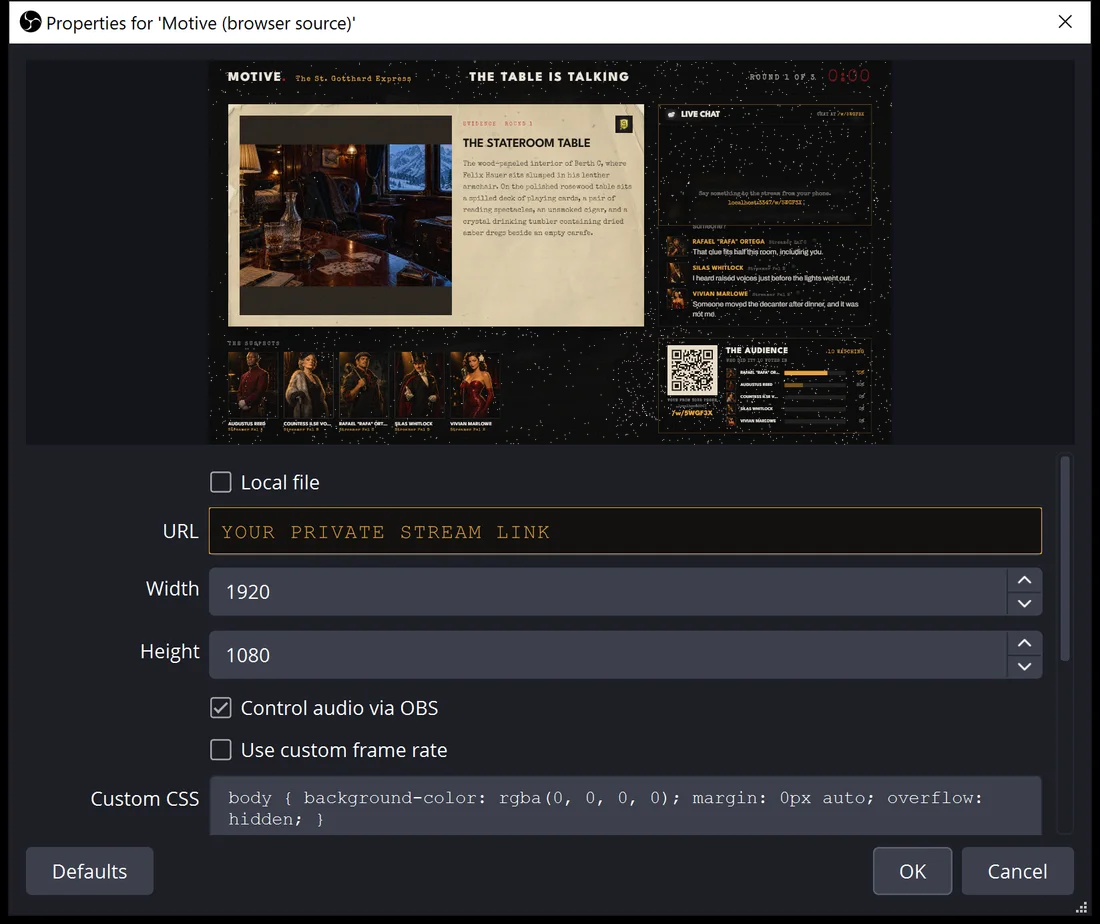
YOUR LINK IS COVERED HERE: IT IS YOUR STREAM’S PRIVATE PASS - 04
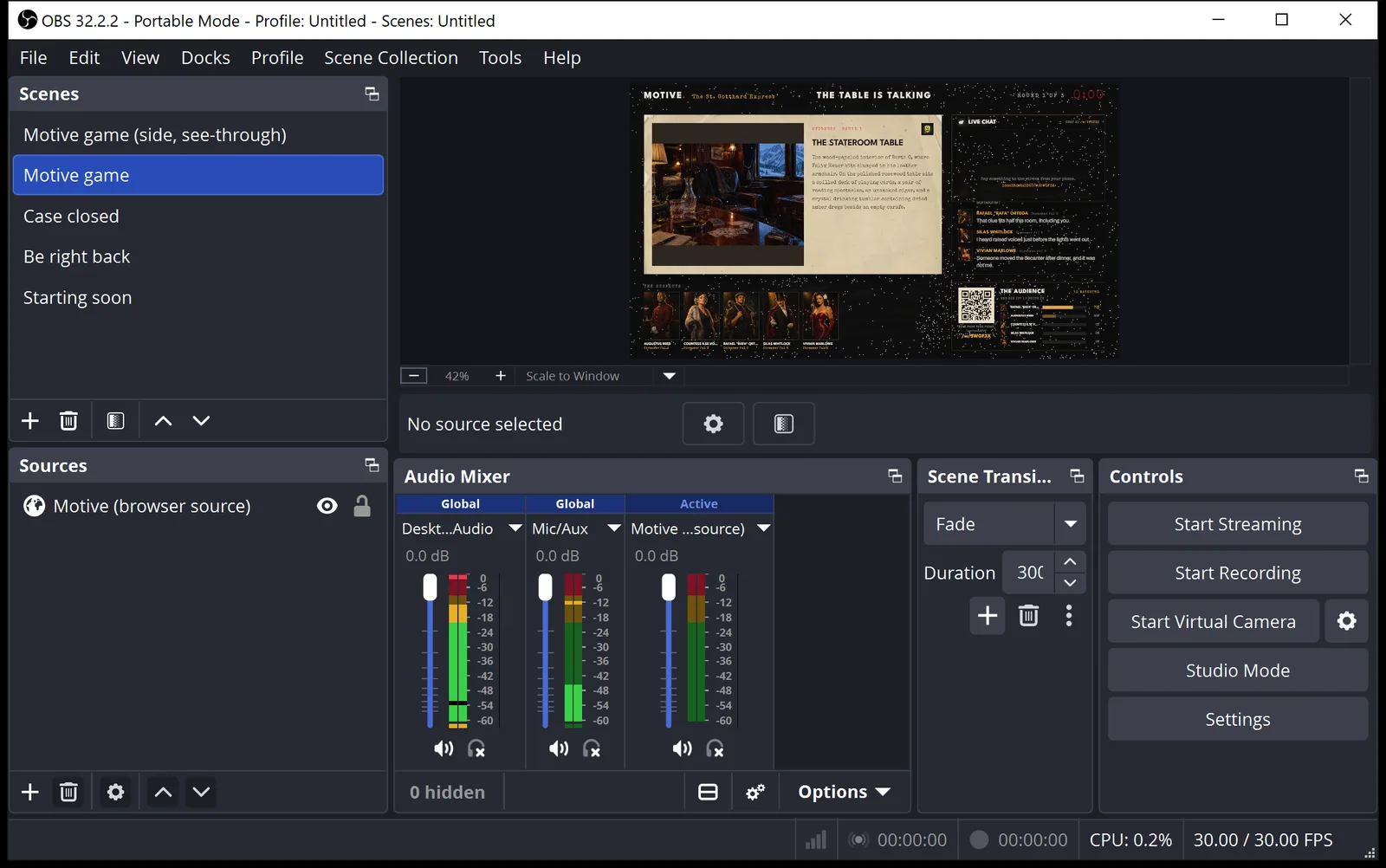
Check it in the preview
The game shows in OBS straight away, a few seconds behind your table, so a clue or a banish lands on stream a beat after your players see it. Viewers scan the code on screen and vote on the killer from their phones.
- 05
Put your camera behind the game
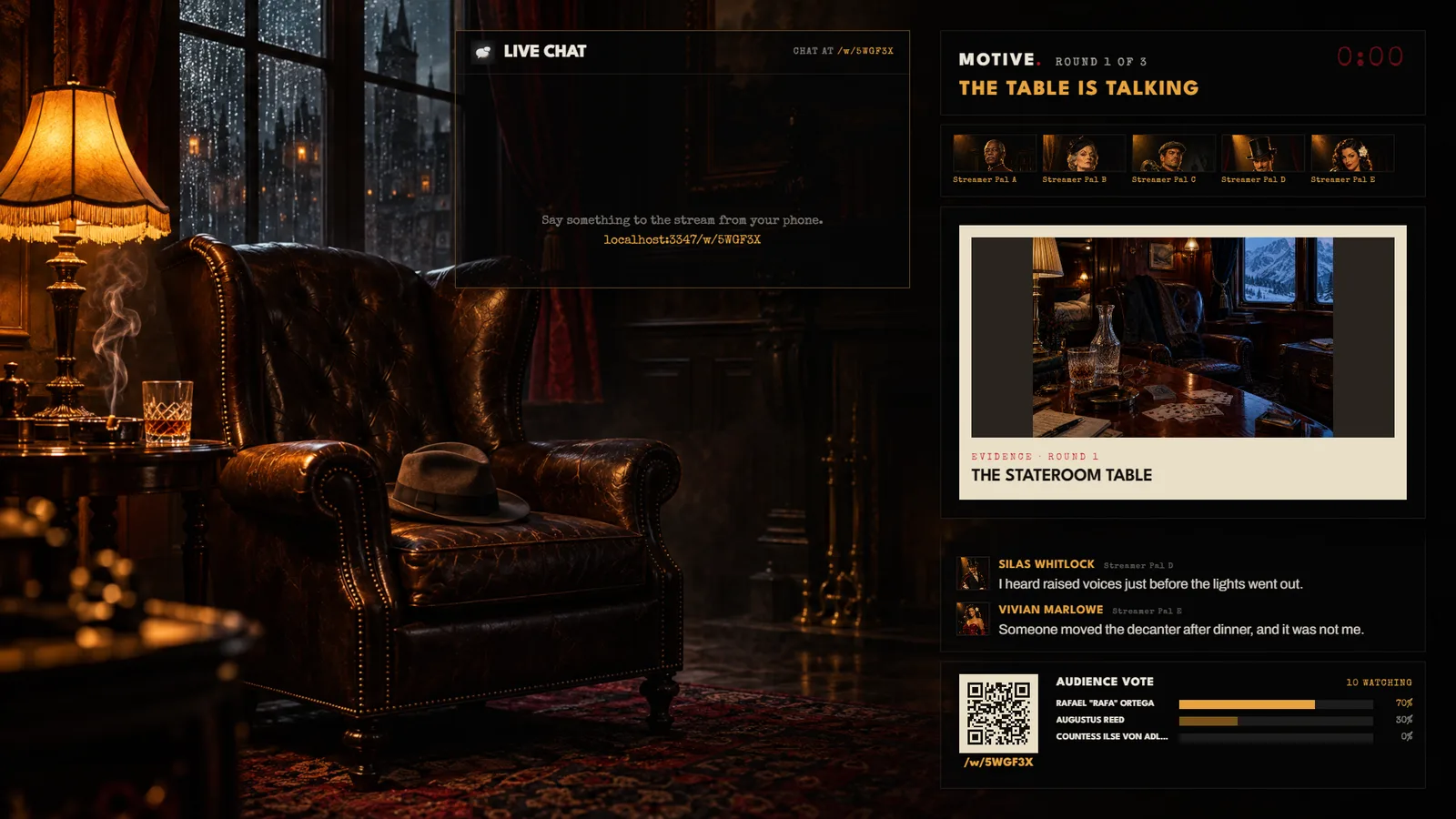
With See-through background on, OBS shows whatever is under the game. Put your camera (or your gameplay) below the Browser source in the Sources list. Side panel keeps the game in a column on the right.
- 06
Frame your camera
Add
webcam-frame.pngabove your camera and size both the same.lower-third.pngis a full-screen picture: add it as it is and it lands in the bottom left. A new game means a new link: paste it into the same Browser source.
Don't have the kit yet?
Every scene, frame and panel in one download, 12.9 MB. Streaming on TikTok? Set up LIVE Studio.