
Motive on TikTok LIVE
The vertical layout puts the whole game on a phone screen, kept clear of TikTok's buttons. Your viewers vote from their phones while they watch.
- 01
Host a game and pick Vertical
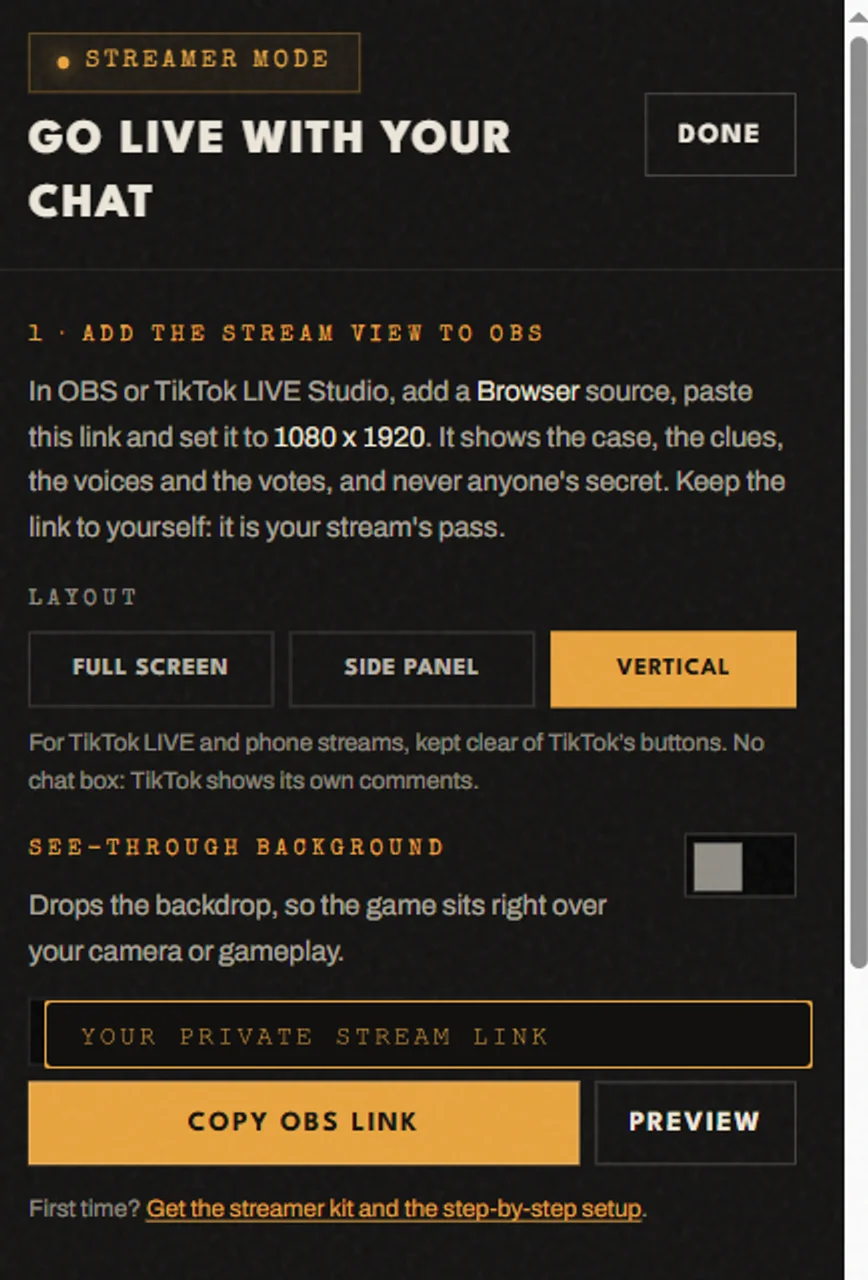
Start a game at motivemystery.com/party/create. On the host screen press Stream, choose Vertical and press Copy OBS link. The same link works in TikTok LIVE Studio. The vertical game is 1080 x 1920, sized to read on a phone.
- 02
Add it in TikTok LIVE Studio
In LIVE Studio, switch the canvas to portrait. Press Add source, choose Link, paste your link and pick a custom resolution of 1080 x 1920, then size it to fill the canvas.
TikTok's phone app can't add a web page to a LIVE, so run the game from LIVE Studio (or OBS) on a computer.
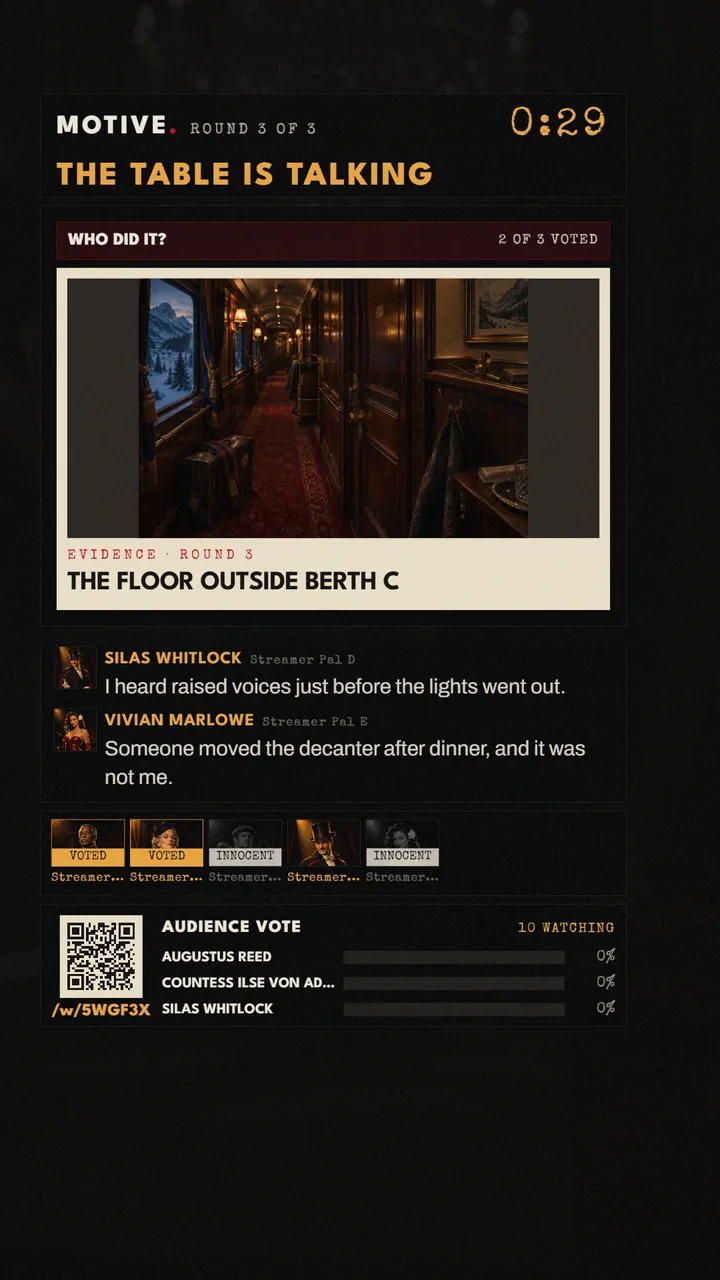
THE VERTICAL GAME, 1080 X 1920, MID-VOTE - 03
TikTok’s buttons stay clear
TikTok draws its own bar across the top, comments and buttons along the bottom, and a column of buttons down the right. The vertical game keeps every word and every vote inside the space they leave: below the top 130 px, above the bottom 370 px and 140 px in from the right. TikTok moves its buttons a little between app versions, so check your own LIVE preview once.
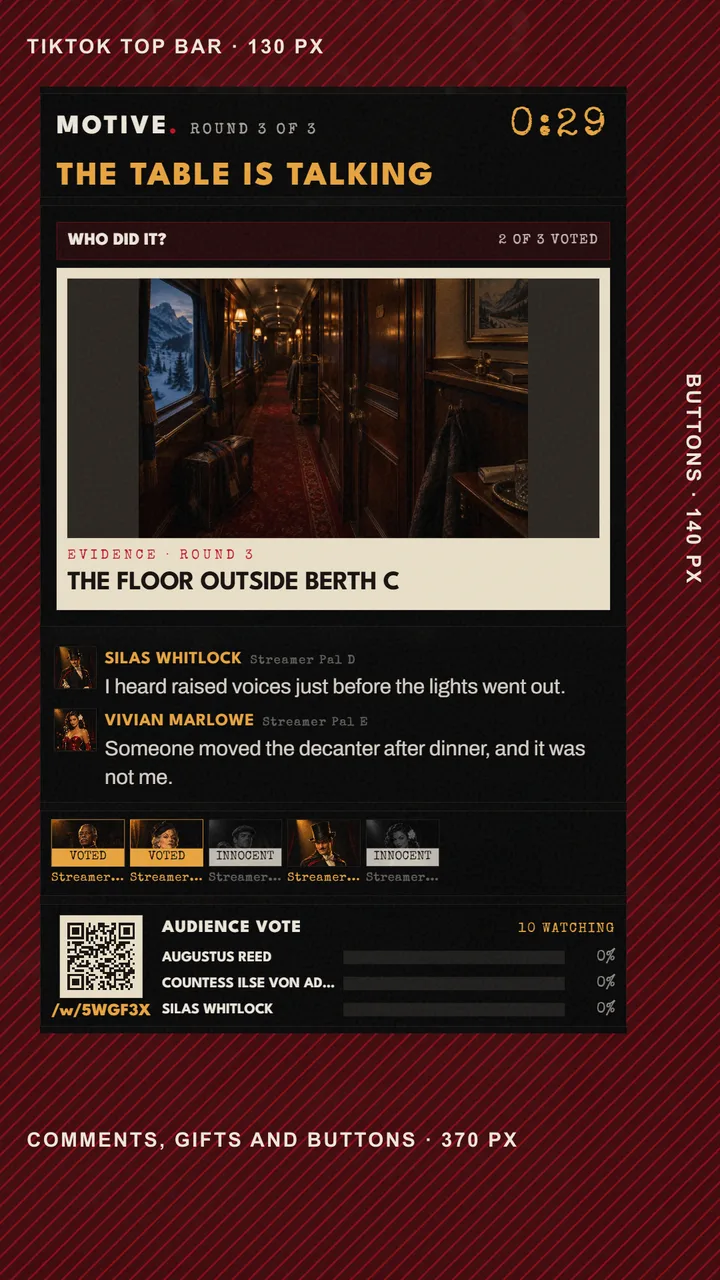
SHADED: WHERE TIKTOK DRAWS OVER YOUR LIVE - 04
Use the vertical scenes
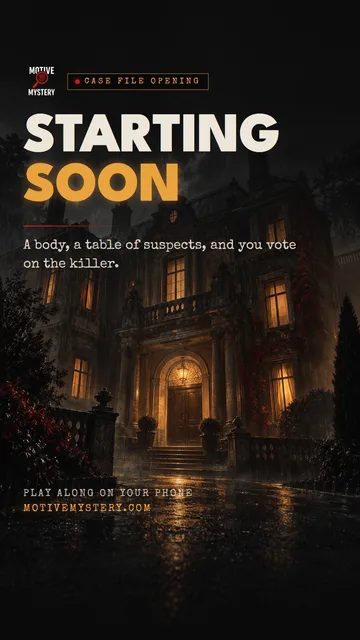
The kit's Vertical folder has Starting soon, Be right back, Case closed and Just chatting at 1080 x 1920, plus a webcam frame and a lower third, all inside the same safe area. Add them as Image sources. TikTok shows its own comments, so the vertical game leaves the chat box out.
- 05
If the game shows up blank
Some LIVE Studio versions open a Link source at no size at all. Set the custom resolution again, or bring the game in through OBS: add it to OBS at 1080 x 1920 as the OBS guide shows, press Start Virtual Camera, and in LIVE Studio add a Camera source and pick OBS Virtual Camera.
Don't have the kit yet?
Every scene, frame and panel in one download, 12.9 MB. Streaming to Twitch or YouTube? Set up OBS.